
Variant complexity
Combinations of options and markets multiply the number of procedures an operator must know.
Arkite projects each assembly step onto the workstation, validates it in real time and only then releases the next step. The correct job and variant come from the MES, and every unit leaves a complete record.
Last updated
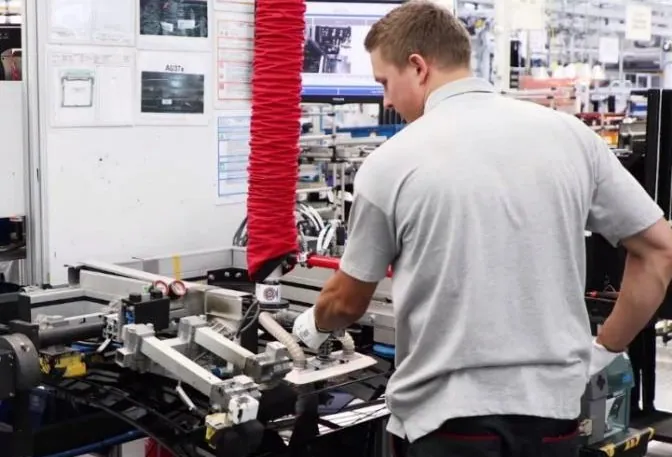
Final and line assembly bring together components, tools and critical process steps such as priming, gluing or fastening. In high-mix environments, the procedure changes with each variant, sometimes from one unit to the next.
Paper instructions and memory cannot keep pace with that variation. Arkite turns the procedure into a structured, validated workflow on the workbench itself.
Combinations of options and markets multiply the number of procedures an operator must know.
Critical steps are missed or done out of sequence, with quality and safety consequences.
Similar parts and freedom in the process design leave room for human error.
Frequent rotation and interim staff increase training effort and supervision.
A badge scan identifies the operator and sets the experience level. Novices receive more guidance; experienced operators see only what they need.
The workstation retrieves the job and variant from the MES. A PLC can supply the product identification and interlock the line until the product is fixed in place.
Instructions, part locations and placement outlines appear directly on the workbench and product, with detail on the operator screen.
With VALIDATE, the 3D sensor confirms picks, placements and tool use. The workflow continues after a correct action and warns the operator in case of an error.
With VISION, a Vision sensor checks small parts, orientation and position during assembly, before the next step starts.
Systems
 Siemens S7 PLC
 OPC UA
 MQTT
MQTT Modbus TCP
Devices
Scope a pilot workstation around your most variant-intensive or error-prone assembly step.
Arkite
Operator guidance platform
Welcome to Arkite.
Looking to guide, validate and inspect manual work? Choose where you would like to start.
Prefer email? info@arkite.comPrivacy
Your privacy choices
We use analytics to understand how the website is used and, with your permission, to measure the results of our campaigns on LinkedIn and Google. Measurement runs through our own server; no tracking scripts from other companies are loaded in your browser. See our privacy notice.