
Many sub-assemblies per product
Each module has its own procedure, and operators switch between them during a shift.
Sub-assemblies combine many small steps, frequent variant changes and limited space. Arkite guides each step on the workbench, validates it in real time and links the result to the unit it belongs to.
Last updated
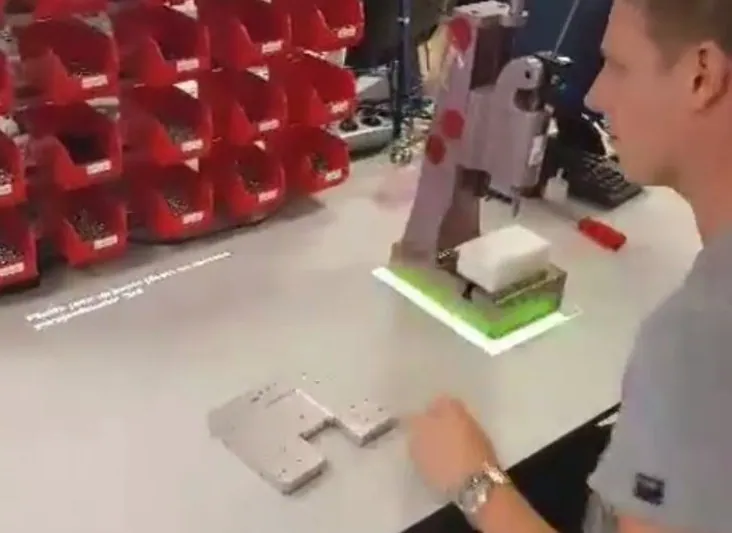
Sub-assembly stations build the modules, housings and kits that feed the main assembly line. A product can depend on a dozen or more sub-assemblies, each with its own components, sequence and variants.
An error at this stage is built into the final product. When it is only found at the end of the line, the module has to be removed, reworked or scrapped.
Each module has its own procedure, and operators switch between them during a shift.
Batches range from single units to long runs, so instructions must change without delay.
Complex procedures take time to master, which limits flexible staffing across stations.
Engineers build the job in numbered steps and sub-assemblies in the no-code editor. Shared steps are defined once; variant-specific steps run only when they apply.
The job is selected from the MES, by scanning a barcode or on the operator screen, so batches can change at any moment.
Projections mark the bin, the part and the placement in the fixture. Text, images and video appear on the operator screen.
With VALIDATE, the 3D sensor confirms each pick and placement before the next step starts, and warns the operator in case of an error.
Serial numbers are scanned and product snapshots can be stored with the unit record for later reference.
Training, Basic and Advanced levels control how much guidance an operator sees and how fast detections react.
Stations exchange status, so a sub-assembly station and the station it feeds stay in step.
One 3D sensor can monitor more than one work area, with separate guidance for each operator.
Where small parts or orientation must be checked, a VISION workstation inspects the module before it leaves.
See how one project covers all modules and variants at a station.
Arkite
Operator guidance platform
Welcome to Arkite.
Looking to guide, validate and inspect manual work? Choose where you would like to start.
Prefer email? info@arkite.comPrivacy
Your privacy choices
We use analytics to understand how the website is used and, with your permission, to measure the results of our campaigns on LinkedIn and Google. Measurement runs through our own server; no tracking scripts from other companies are loaded in your browser. See our privacy notice.