
MES
Job orders, product variants and operator assignments. The workstation retrieves the correct job and variant automatically when the operator logs in.
Arkite does not replace MES or ERP. It connects them to the operator layer, so orders, variants, tools and quality data flow to and from the workstation without manual handling.
Last updated
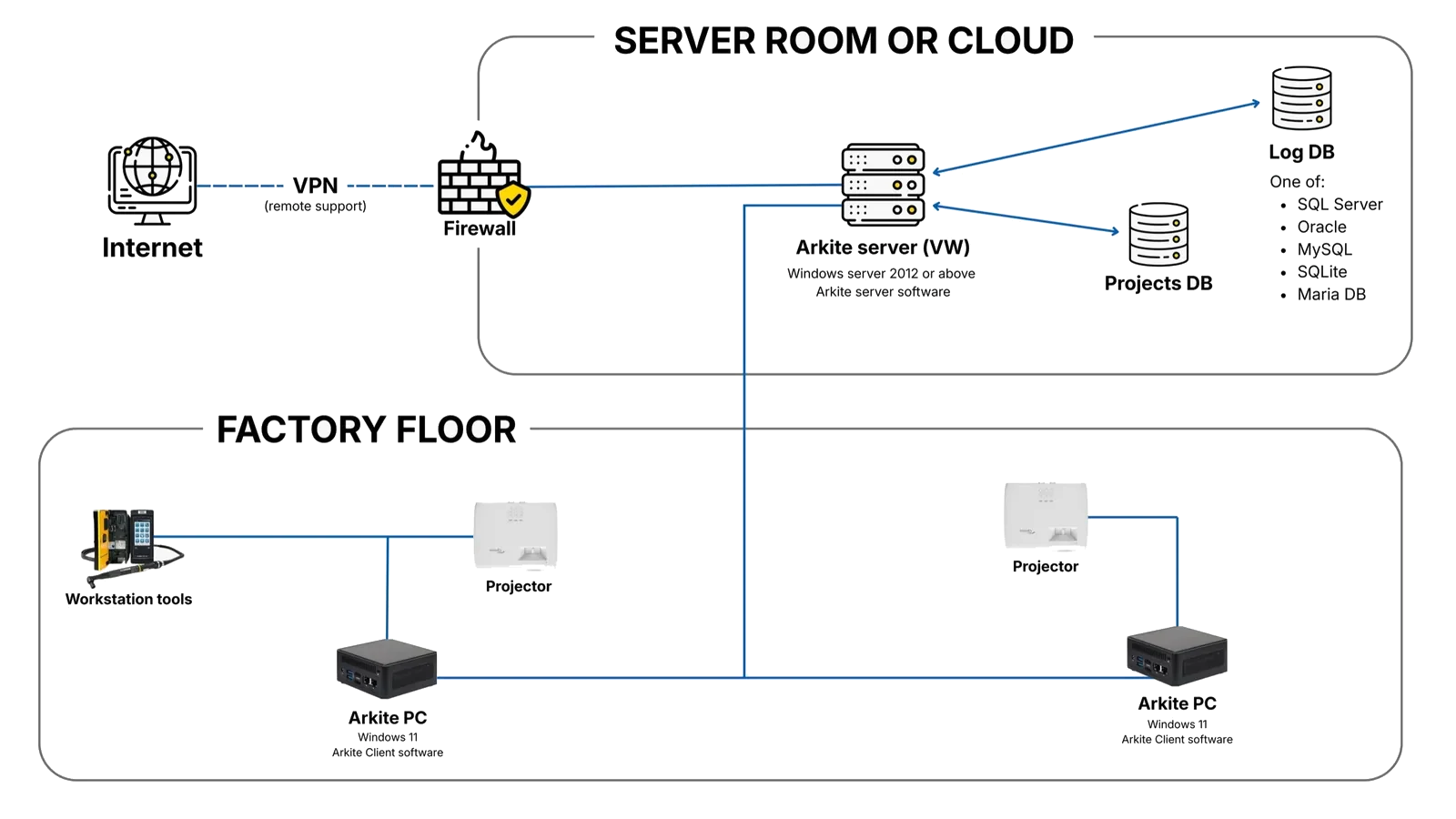
Job orders, product variants and operator assignments. The workstation retrieves the correct job and variant automatically when the operator logs in.
Production scheduling and traceability data. For example, tasks can be scheduled on a workstation when an order is received.
Material and bin information, for example updating the content of picking bins from the warehouse system.
Siemens S7 and other industrial controllers, for signals and data exchange between the workstation and automated equipment.
Torque control and feedback. Tools are enabled only during the correct step and, with VALIDATE, only at the correct location.
Power BI and other analytics tools, through a direct database connection, CSV export or the Arkite API.
Communication modules are set up in the Arkite software. No custom code is required.
Industrial protocols
 OPC UA
 MQTT
MQTT Modbus TCP
 Siemens S7 PLC
 Open Protocol (smart tools)
Smart tools and label printers
 Atlas Copco tools
 Bosch Rexroth Nexo tools
IT and web
Databases
 MySQL
MySQL MS SQL Server
 Oracle
 MariaDB
Workstation devices
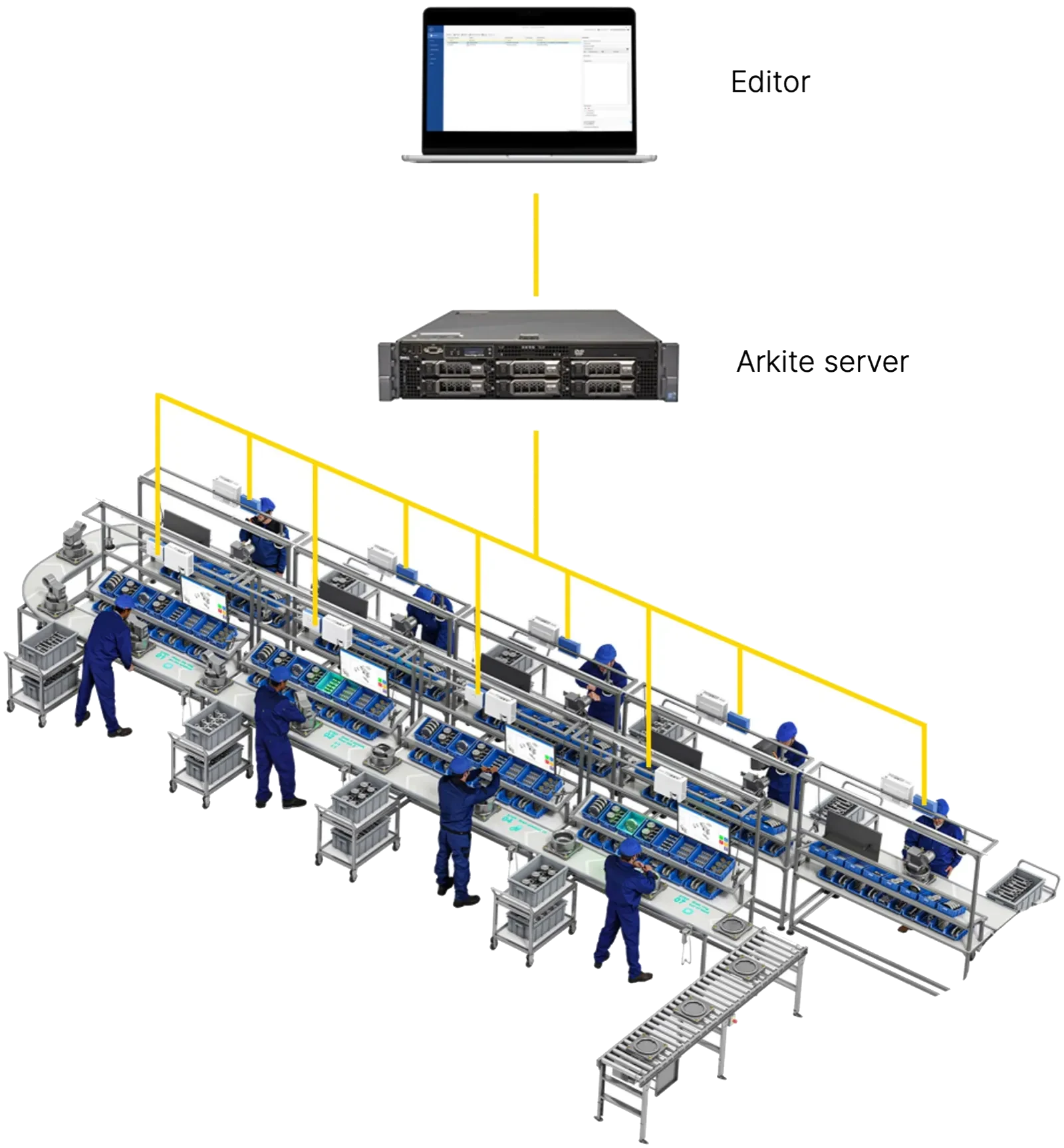
Jobs are created in the MES and pushed to the Arkite server through the API. Process engineers adapt the instructions in Arkite so they are practical for the physical workstation, and once approved, jobs are deployed to the correct stations.
When an operator logs in by badge scan or manual selection, the workstation retrieves the correct job and product variant from the MES. This removes manual selection errors on mixed-model lines.
Smart tools connect through Open Protocol, Ethernet or Modbus. Once connected, Arkite can:
The tool is released only during the step that requires it and, on VALIDATE and VISION workstations, only at the correct location on the workbench.
The required tightening program or torque is selected automatically for the current step and variant.
The next step starts only when the specified torque is confirmed by the tool.
Torque values are recorded per assembled unit for full traceability.
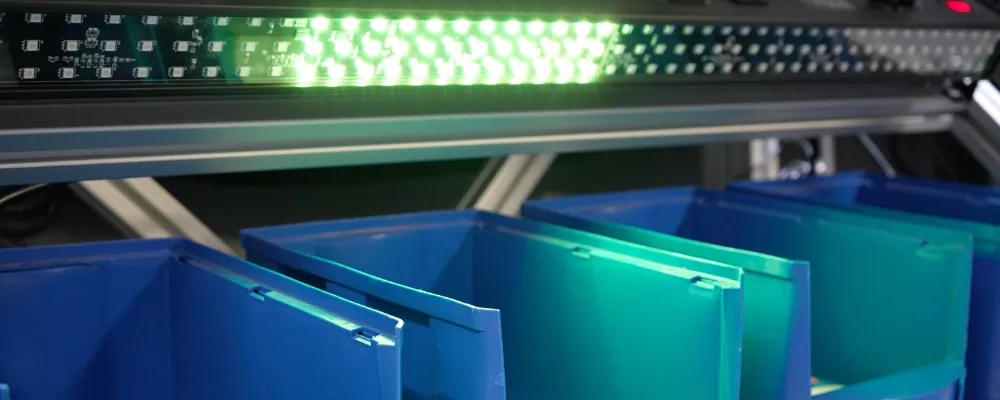
For large bins or extended picking areas that projection alone cannot cover, Arkite drives DMX lights through Art-Net or an Enttec Open DMX USB interface. Each detection can be linked to a specific light, and the 3D sensor still validates every pick.
The Arkite API is a REST API for retrieving and modifying project data and for running operations on active workstations. The server's API on port 443 is reachable by workstations and by MES and ERP applications. Full documentation is published on SwaggerHub, an API tester is available in the software, and every user has a personal API key.
Share your MES, ERP, PLC and tooling setup, and we show how Arkite connects to it.
Arkite
Operator guidance platform
Welcome to Arkite.
Looking to guide, validate and inspect manual work? Choose where you would like to start.
Prefer email? info@arkite.comPrivacy
Your privacy choices
We use analytics to understand how the website is used and, with your permission, to measure the results of our campaigns on LinkedIn and Google. Measurement runs through our own server; no tracking scripts from other companies are loaded in your browser. See our privacy notice.