
The execution layer for manual operations.
ERP decides what to build. MES decides when. Arkite tells operators how: guided, validated and traceable per unit.
Last updated
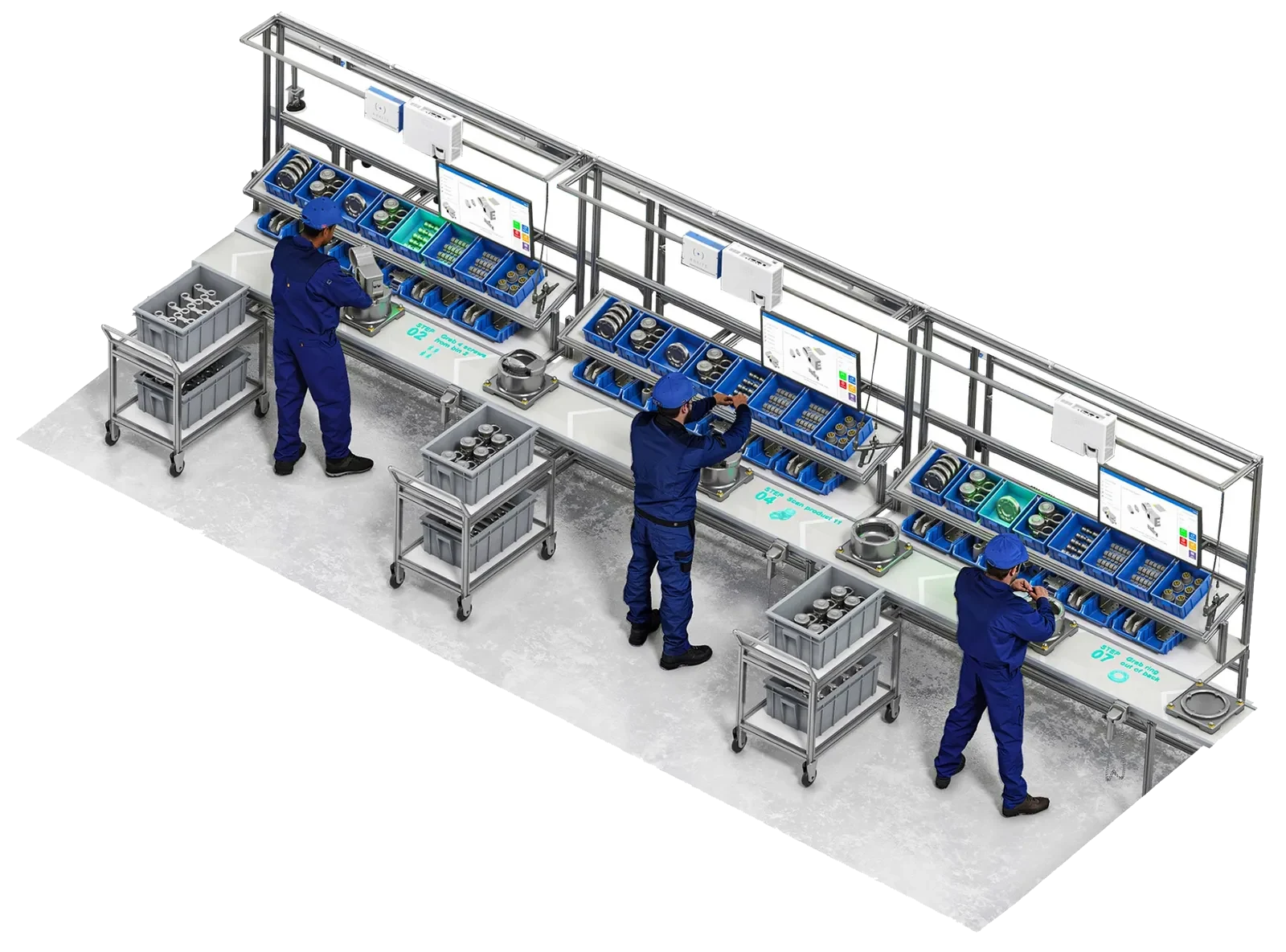
Six places where Arkite runs your manual operations.
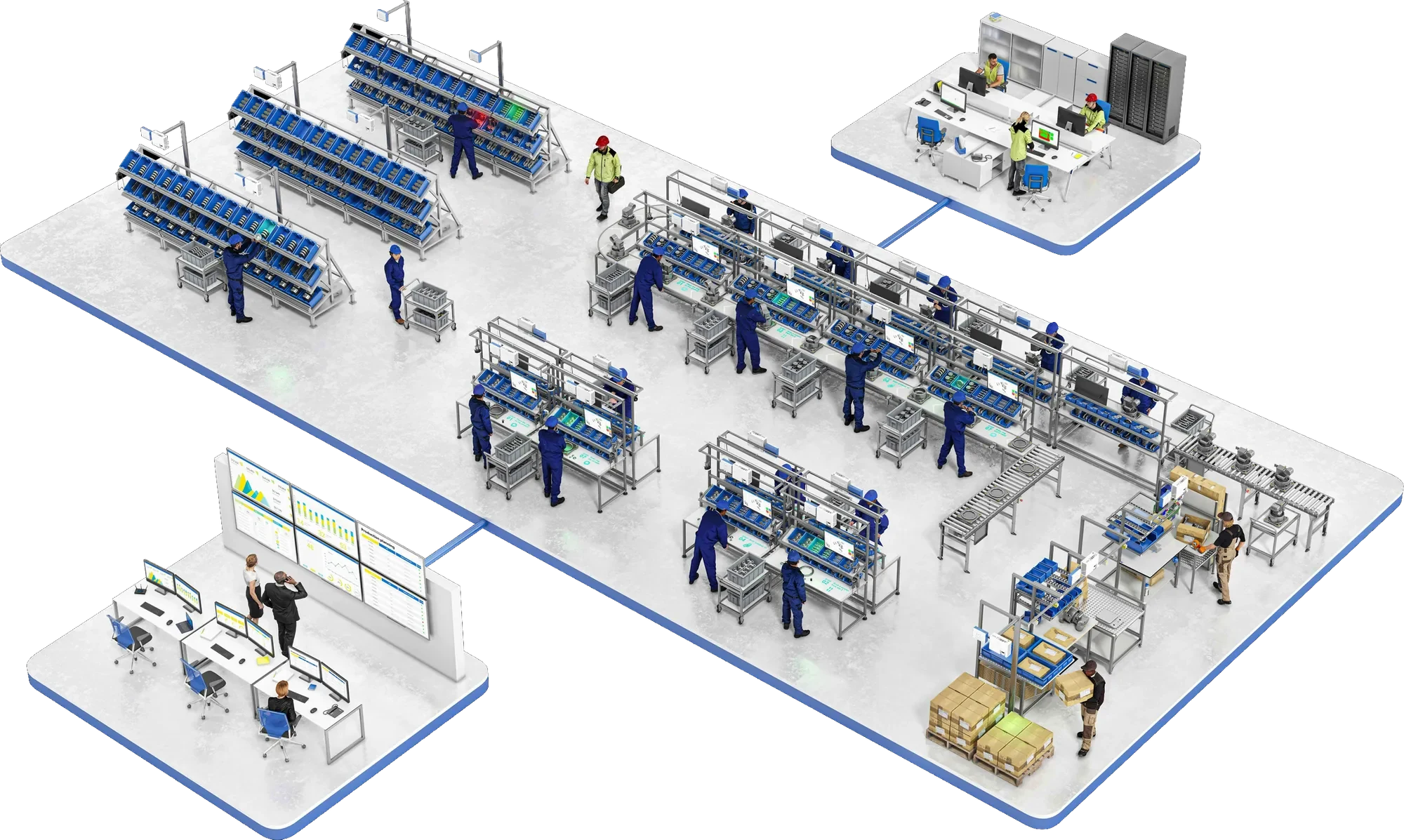
From engineering to production data: one platform at every manual step, connected through one central server.
- Work instructions built without code
- Jobs arrive from the MES
- Deployed to every workstation centrally
- Work instructions built without code
- Jobs arrive from the MES
- Deployed to every workstation centrally
A manufacturing execution platform for manual operations.
Arkite guides operators step by step with instructions projected onto the workstation, validates each action in real time with 3D sensing, inspects the product during assembly and records every step as production data.
- Paper instructions Digital, structured workflows
- Unchecked manual actions Real-time validated execution
- End-of-line inspection In-process quality control
- Undocumented work Measurable production data
Arkite completes the stack.
Arkite does not replace MES or ERP. It connects them to the operator.
- ERP What to build Orders, materials, scheduling
- MES When to build Jobs, variants, operator assignments
- Arkite How to build Guidance, validation, inspection and data at the workstation
- Operator Builds it right Clear guidance at the right level of experience
Three levels of operational control.
Match the validation depth to the risk of each task. Each level includes the one before it.
Arkite GUIDE
Digital work instructions
- AR projection on the work surface
- No-code job editor
- Variants and experience levels
- Smart tool and MES integration
Arkite VALIDATE
Real-time operator validation
Everything in GUIDE, plus:
- 3D sensor checks every pick and placement
- Tool enabled only at the right location
- Error logging per unit
Arkite VISION
In-process product inspection
Everything in VALIDATE, plus:
- Vision sensor inspects the product
- AI detection, running locally
- Presence, position and orientation checks
Mixed licenses are supported: each workstation can run the level its task requires.
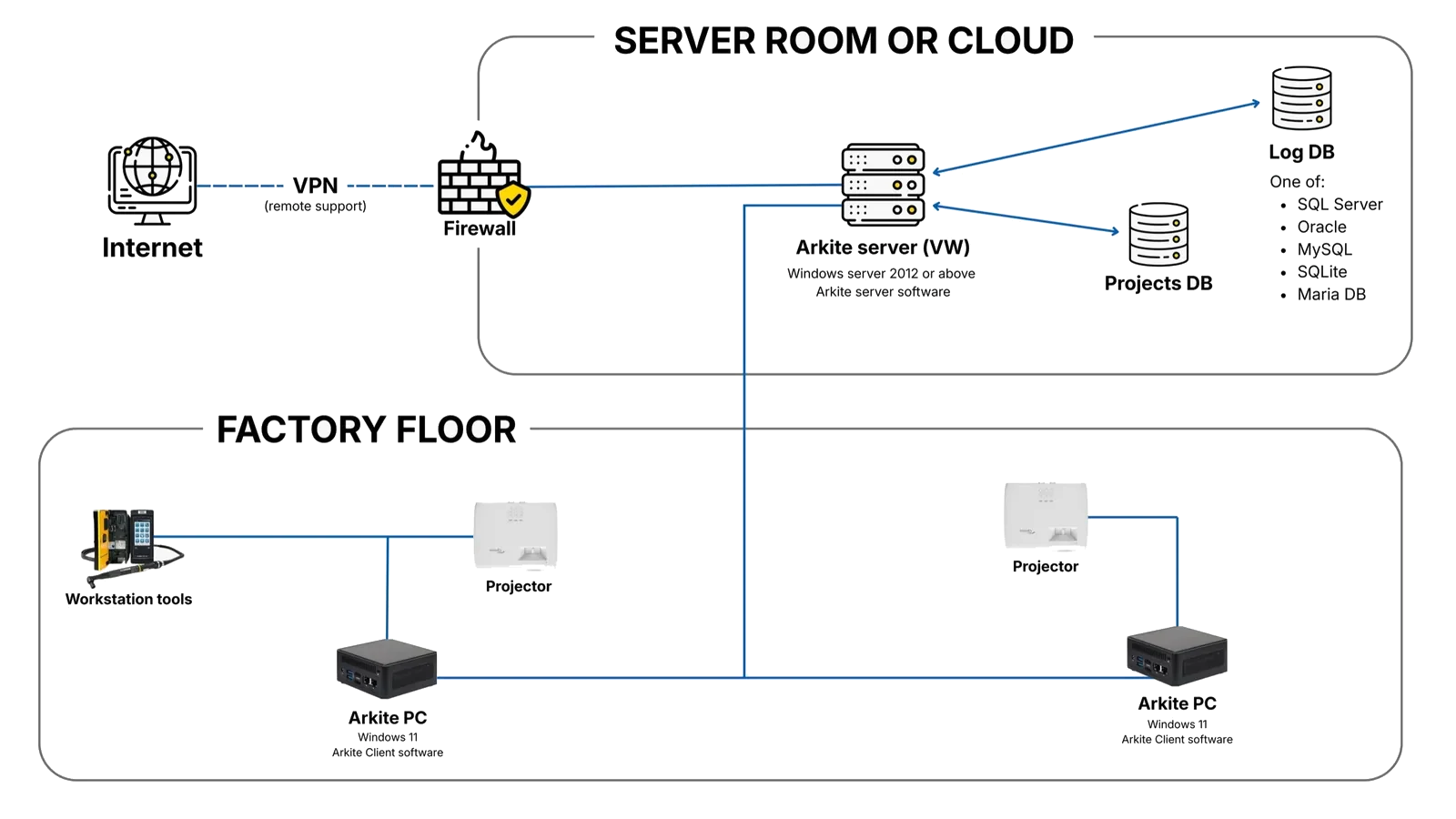
Infrastructure, not a standalone station.
-
Central server
All projects, users and production records in one place, on-premises or private cloud.
-
Workstation clients
New stations connect and receive existing projects immediately.
-
No-code workflow engine
Jobs, steps, variants and logic built in a graphical editor.
-
Open integrations
MES, ERP, PLC, smart tools, OPC UA, MQTT and REST API.
-
Smart tool connectivity
Programs selected per step, torque results recorded.
-
Production data
Cycle times, errors and torque values per unit, ready for BI.
AI where it saves engineering time.
-
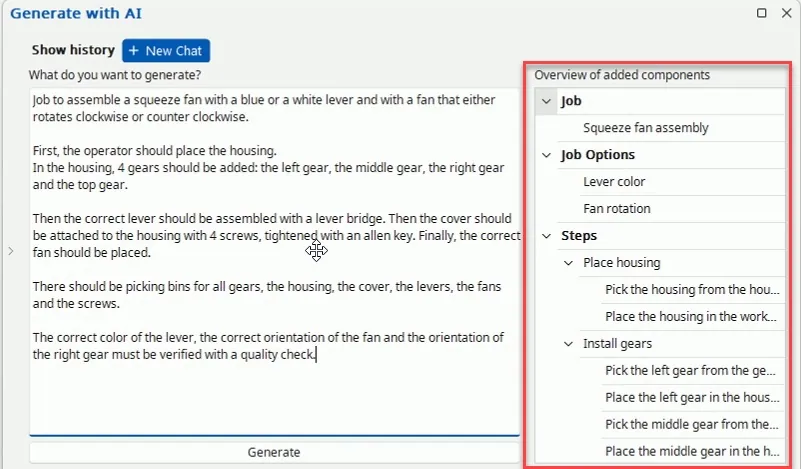
AI job generation
A written description becomes a draft job with steps, materials and detections.
-
AI translation
All instructions translated from the default language in one action.
-
AI detection in VISION
More robust inspection. Runs locally, no internet needed.
-
Your data, your choice
Cloud AI is optional, off by default and uses your own key.
Arkite turns manual execution into structured, validated and traceable production data.
The platform across a plant.
Go deeper.
How it works
From MES job to production data.
LevelsGUIDE, VALIDATE, VISION
Compare the three levels.
AIArkite AI
Job generation, translation, AI detection.
ArchitectureIntegrations
MES, ERP, PLC, smart tools and BI.
DataProduction intelligence
Structured data from manual work.
ScaleEnterprise deployment
From one workstation to a global standard.
CompareArkite compared
Versus paper, screens, lights and headsets.
Build the business case on your own production data.
Calculated from your own figures, then validated on a pilot workstation.
- Error, scrap and rework rates
- Labor cost and cycle times
- Operators trained per year
- Variants and change frequency
- Cost of quality escapes
See the platform in your own production context.
A demonstration with the Arkite team is the starting point for scoping a pilot workstation.