
Interpretation
Paper SOPs and static screens leave operators to interpret steps, so each person builds the product slightly differently.
Most manual errors come from small moments of uncertainty at the workstation, not a lack of skill. Arkite guides every step and validates every action while the product is being built.
Last updated
Even with experienced operators, execution varies between shifts, workstations and people. A part is taken from the wrong bin, a step is skipped after an interruption, a screw is tightened in the wrong sequence, or an engineering change has not reached every station.
Each of these errors is cheap to make and expensive to find. When they are discovered at end-of-line testing, or by the customer, the cost includes rework, scrap, delayed deliveries and quality investigations. MES and ERP show what was planned, but not how the work was actually performed.
Paper SOPs and static screens leave operators to interpret steps, so each person builds the product slightly differently.
Similar product variants differ in one component or one fastening sequence. The wrong assumption is easily carried into the next build.
After a break or a disruption, operators restart from memory and can resume at the wrong step.
Traditional instructions cannot confirm that a step was executed correctly, so errors move downstream unnoticed.
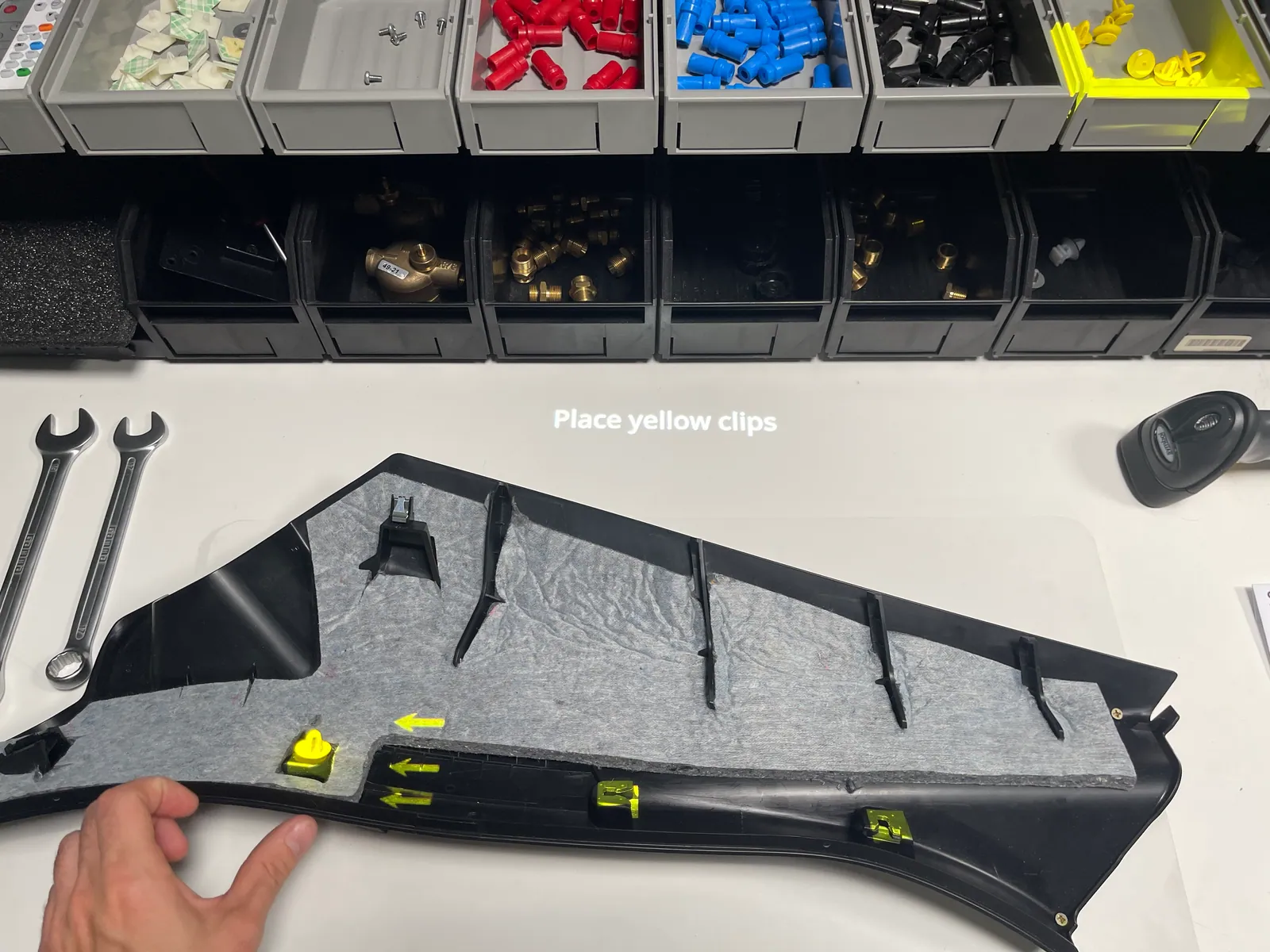
Arkite projects the next instruction directly onto the workbench and highlights the correct bin, part or location. The operator does not need to search, remember or interpret.
With Arkite VALIDATE, a 3D sensor verifies that every pick and assembly action is executed correctly and in the right sequence. The workflow continues automatically after a correct action and warns the operator immediately in case of an error.
| GUIDE | VALIDATE | VISION | |
|---|---|---|---|
| Step-by-step AR instructions and variant logic | |||
| Automatic validation of picks, placements and tool use | – | ||
| Smart tool enabled only at the correct location | – | ||
| In-process inspection of small parts, orientation and position | – | – |
Every workstation feeds structured records back to the Arkite server, so error reduction is measured, not assumed.
Arkite guides each step with projected instructions on the workbench. With VALIDATE, a 3D sensor checks every pick and assembly action in real time and warns the operator before an incorrect action becomes a defect.
Most digital work instruction tools display information. Arkite also validates execution in real time, inspects the product during assembly with VISION and records structured data for every step.
Yes. Smart tools connected over Open Protocol, Ethernet or Modbus can be enabled only during the correct step and, with VALIDATE or VISION, only at the correct location on the workbench.
GUIDE structures the work. VALIDATE adds real-time 3D validation of operator actions and suits most error-proofing cases. VISION adds in-process product inspection where presence or orientation of small parts is critical.
The business case for Arkite is built on your own production data. A pilot workstation is the most reliable way to validate these assumptions in your own environment before a wider rollout.
Start with one workstation and one product family. We help you define the scope of a pilot.
Arkite
Operator guidance platform
Welcome to Arkite.
Looking to guide, validate and inspect manual work? Choose where you would like to start.
Prefer email? info@arkite.comPrivacy
Your privacy choices
We use analytics to understand how the website is used and, with your permission, to measure the results of our campaigns on LinkedIn and Google. Measurement runs through our own server; no tracking scripts from other companies are loaded in your browser. See our privacy notice.