
Manual variant selection
The operator selects or confirms the variant by hand, and a similar previous job leads to the wrong assumption.
In high-mix production, the risk is not choosing the next order. It is making sure the right action happens, in the right place, for the variant currently on the workbench. Arkite connects MES variant data directly to the operator.
Last updated
Customer-specific configurations, optional parts and frequent engineering changes multiply the number of product variants at each workstation. Similar variants often share most of their steps and differ in one component, one fastening sequence or one quality check.
When variant information is spread across paper travelers, PDFs, static screens and memory, operators spend time checking part numbers and filtering what applies. Errors appear exactly at the moment of changeover, and every new variant adds training effort.
The operator selects or confirms the variant by hand, and a similar previous job leads to the wrong assumption.
Paper and PDF instructions multiply with each variant, and outdated versions stay in circulation.
An updated step does not reach every workstation in time, so lines run on different versions.
Arkite manages variants through jobs, job options and job variants. Job options are properties for which the steps differ, such as color, size or optional parts. Shared steps are defined once, and variant-specific steps run only when they apply.
Through MES integration, the workstation receives the correct job and product variant automatically when the operator logs in or the order arrives. The variant can also be selected by scanning a barcode or on the operator screen.
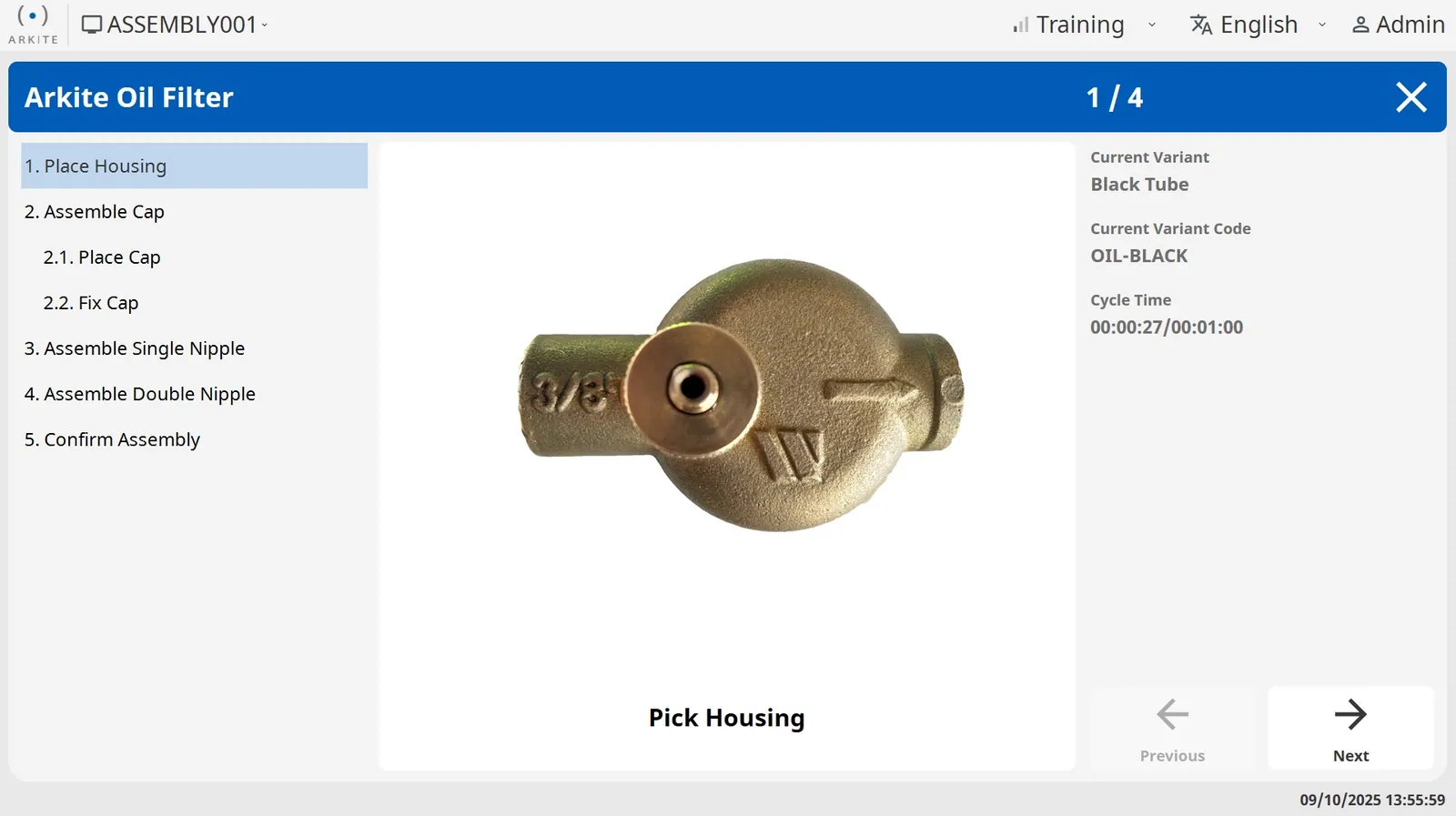
Job orders and product variants are pushed to the Arkite server through the REST API.
Process engineers make the steps practical for the physical workstation in the no-code editor.
At login or order start, the correct job and variant are retrieved automatically, removing manual selection errors.
With VALIDATE, the 3D sensor confirms that the variant-specific parts and locations were used.
Through jobs, job options and job variants. Shared steps are defined once and variant-specific steps run only when they apply. There is no practical limit on the number of variants in a project.
Yes. Jobs are created in the MES and pushed to the Arkite server. When the operator logs in, the workstation retrieves the correct job and variant automatically. Barcode scanning and manual selection are also supported.
Yes. Since software version 2026.2, engineers can generate a job with AI. Based on a written description of the assembly, the software generates the job, job options, materials, detections and job steps, and the engineer reviews and finalizes the result. The integration is optional, disabled by default and uses OpenAI or Anthropic with your own key.
No. ERP decides what to build and MES decides when. Arkite connects them to the operator layer and tells operators how to build each variant.
Projects are versioned and stored on the central Arkite server. Once released to production, updates are immediately available on every connected workstation.
AI job generation, AI translation and VISION AI detections, with data under your control.
MES, ERP, PLC, smart tools and open protocols.
Guided sub-assembly for configurable products.
Variant-specific picks validated per action.
One digital standard across shifts and sites.
We show how Arkite structures your variants and connects them to your MES.
Arkite
Operator guidance platform
Welcome to Arkite.
Looking to guide, validate and inspect manual work? Choose where you would like to start.
Prefer email? info@arkite.comPrivacy
Your privacy choices
We use analytics to understand how the website is used and, with your permission, to measure the results of our campaigns on LinkedIn and Google. Measurement runs through our own server; no tracking scripts from other companies are loaded in your browser. See our privacy notice.