
Logistics and kitting
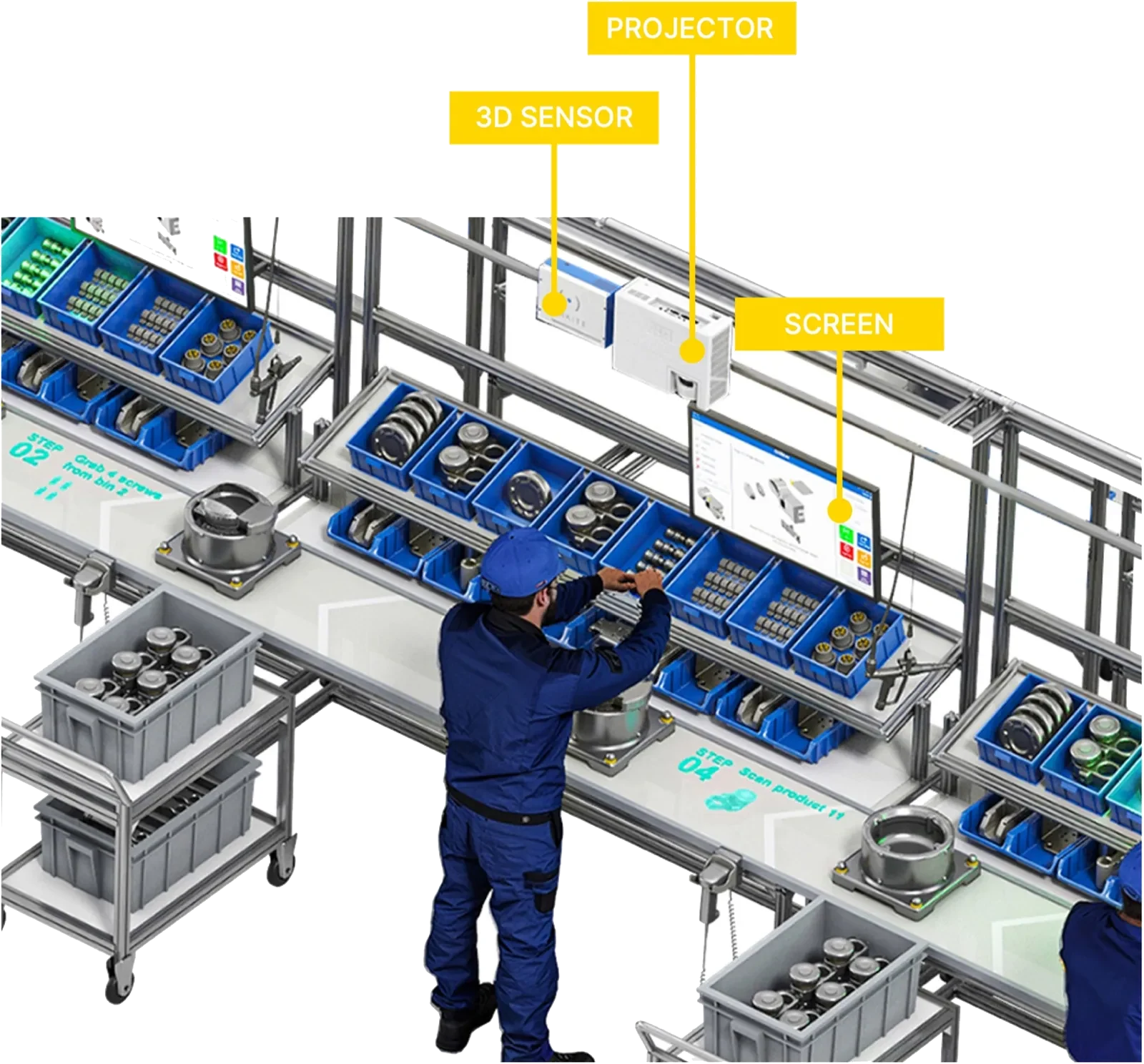
Operators are guided to the correct bin by AR projection or DMX pick-to-light, while the 3D sensor validates each pick. The number of items to pick is shown and logged.
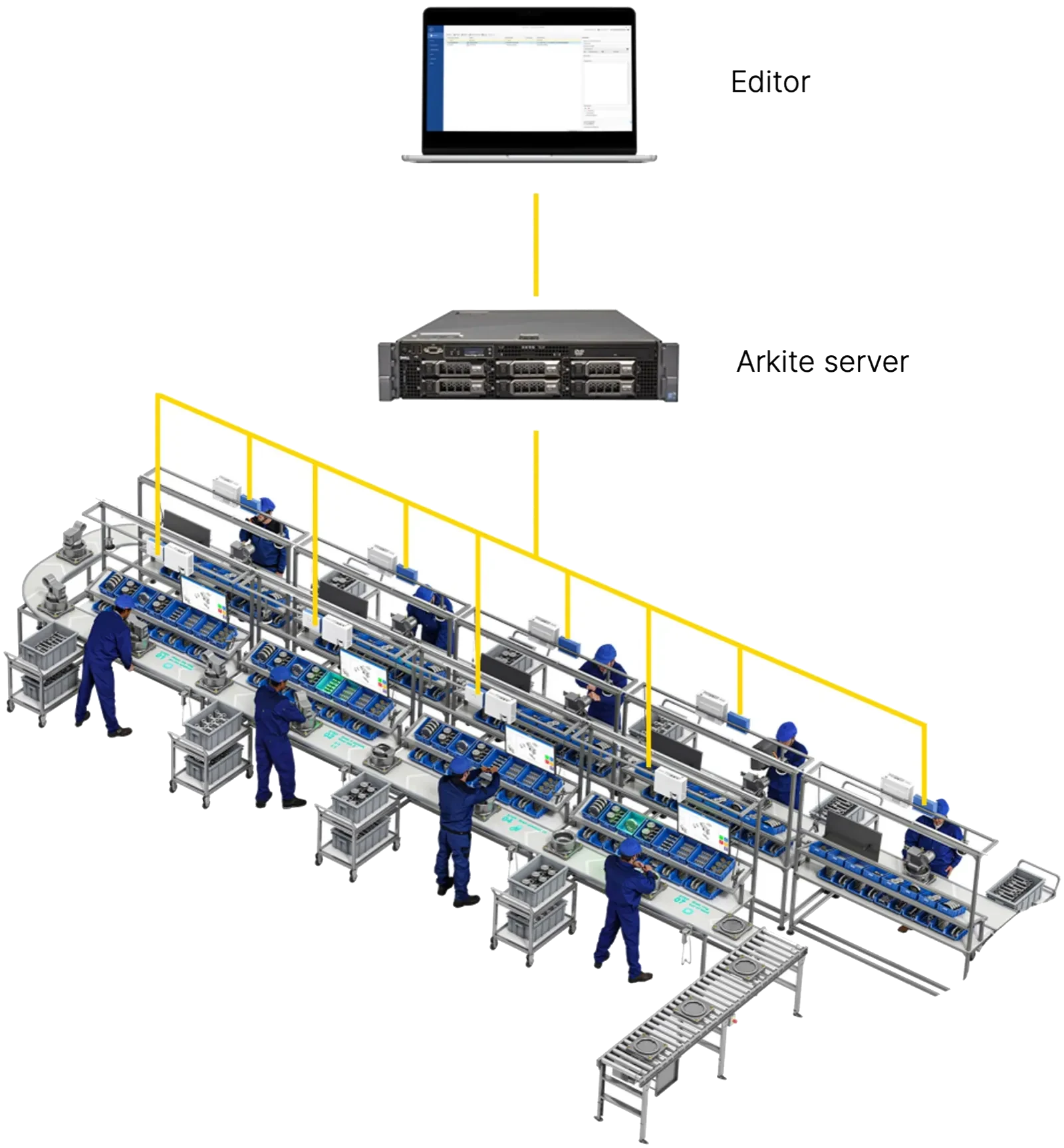
Every production environment relies on one flow: design, execution and improvement. Arkite connects all three, from the engineer's desk to the workbench and back to the data.
Last updated
Jobs are created in the MES and pushed to the Arkite server through the REST API, including product variants and operator assignments.
Process engineers translate standard operating procedures into Arkite jobs, teach detections and add projections, so instructions are practical for the physical workstation.
Once approved, jobs are deployed from the server to the correct workstations and are immediately available across the factory.
The operator logs in, the workstation receives the correct job and variant, and each step is projected on the workbench and validated as it is performed.
Every workstation feeds cycle times, step durations, errors and torque values back to the Arkite server for analysis in Arkite dashboards or BI tools.
Arkite is built on a no-code workflow engine. Engineers define jobs, teach the detections for bins, parts, tools and virtual buttons, and structure the job in numbered steps and sub-assemblies. Projections and text instructions are generated automatically when a detection is taught.
Any PC connected to the server can act as an editor, so projects are prepared at the engineer's desk without stopping production and can be run for up to 15 minutes for testing. Since software version 2026.2, engineers can also generate a job with AI: from a written description of the assembly, the software generates the job, job options, materials, detections and job steps, and the engineer reviews and finalizes the result. The same optional AI integration translates all instructions and texts from the default language.
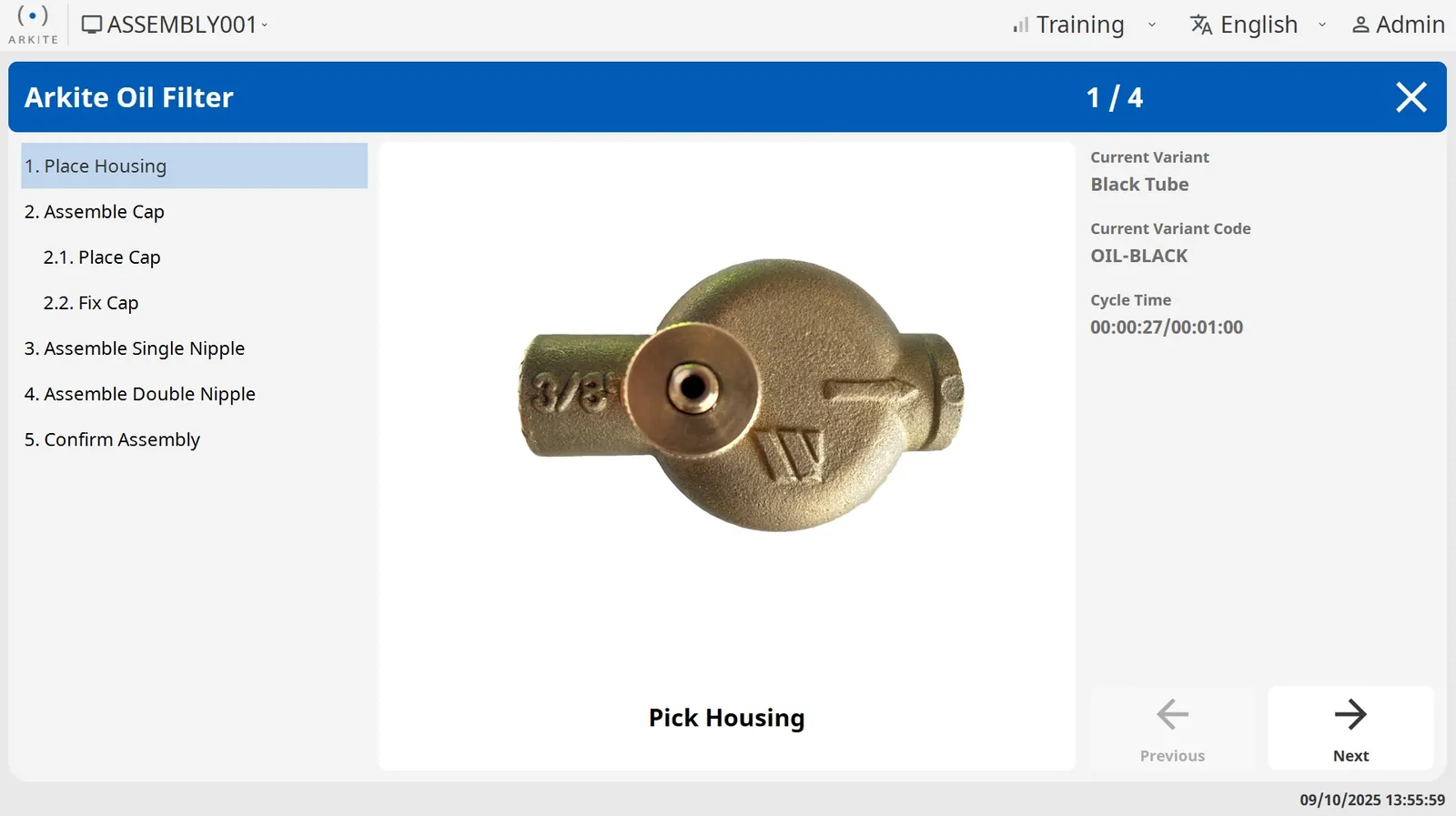
Operators log in by scanning their badge, which also sets their experience level. Through the MES integration, the workstation retrieves the correct job and product variant automatically, which removes manual selection errors.
Instructions are projected on the workbench and shown on the operator screen, step by step. Novice operators receive more guidance; experienced operators work with only what they need. With Arkite VALIDATE, the 3D sensor verifies each pick and assembly action and the workflow continues automatically after a correct action.
Operators are guided to the correct bin by AR projection or DMX pick-to-light, while the 3D sensor validates each pick. The number of items to pick is shown and logged.
Step-by-step guidance across products and sub-assemblies, with variant logic, smart tool control and real-time validation of each action.
Clear digital guidance for consistent packing, including projections driven by a stacking algorithm from an external system.
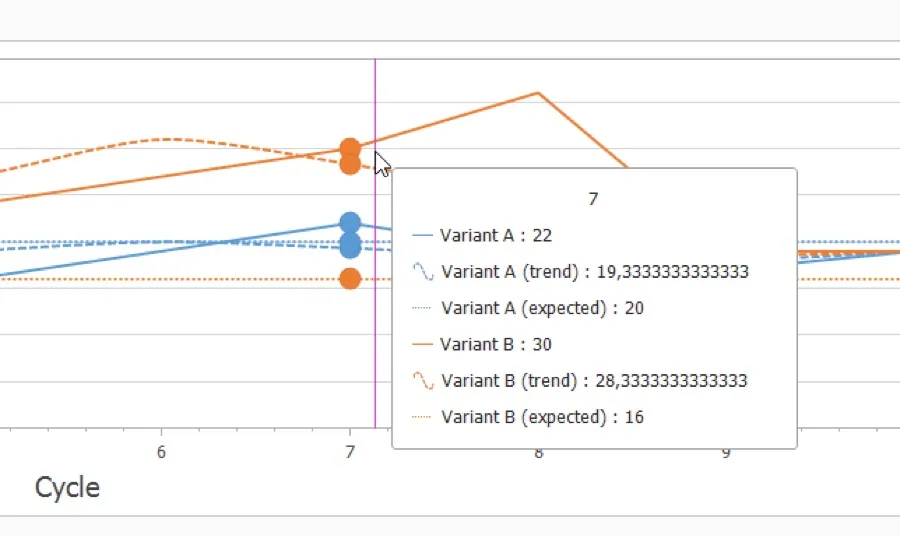
Each workstation continuously sends structured data to the Arkite server: cycle times against expected cycle times, step durations, errors, torque values from integrated smart tools, items picked and traceability records per serialized unit.
The server becomes one central source of real-time production data from manual operations. Built-in dashboards show workstation status, job output, cycle times and live step durations. The same data can be used in Power BI or any other BI platform to find bottlenecks, optimize cycle and takt times and reduce scrap and rework.
Design, execution and improvement: one flow, one platform, one source of production data.
AI job generation, AI translation and VISION AI detections, with data under your control.
Choose the validation depth each workstation requires.
How Arkite connects to MES, ERP, PLC and smart tools.
What data Arkite captures and how it is used.
Pick-by-projection and pick-to-light with 3D validation.
In a demonstration, we map the Arkite flow to your MES landscape, workstations and variants.
Arkite
Operator guidance platform
Welcome to Arkite.
Looking to guide, validate and inspect manual work? Choose where you would like to start.
Prefer email? info@arkite.comPrivacy
Your privacy choices
We use analytics to understand how the website is used and, with your permission, to measure the results of our campaigns on LinkedIn and Google. Measurement runs through our own server; no tracking scripts from other companies are loaded in your browser. See our privacy notice.