
Badge login
Operators log in by scanning their badge. The workstation loads their experience level and language automatically.
New operators learn while they produce, with step-by-step guidance and real-time feedback on every action. Experienced operators get only what they need. Expert knowledge stays in the process when people move on.
Last updated
Skilled operators are hard to find and hard to keep. Each new or temporary operator needs time and supervision before they can work independently, and that supervision usually comes from your most experienced people.
At the same time, process knowledge is often undocumented. When experienced workers retire or leave, their expertise leaves with them. Classroom training and paper manuals do not close the gap, because the knowledge is needed at the workbench, at the moment of execution.
Arkite replaces classroom training and paper manuals with structured guidance where the work happens. Instructions are projected onto the workbench, step by step, highlighting the correct part and location.
With Arkite VALIDATE, a 3D sensor checks every action in real time. New operators receive immediate feedback, so they can work independently earlier and with less supervision.
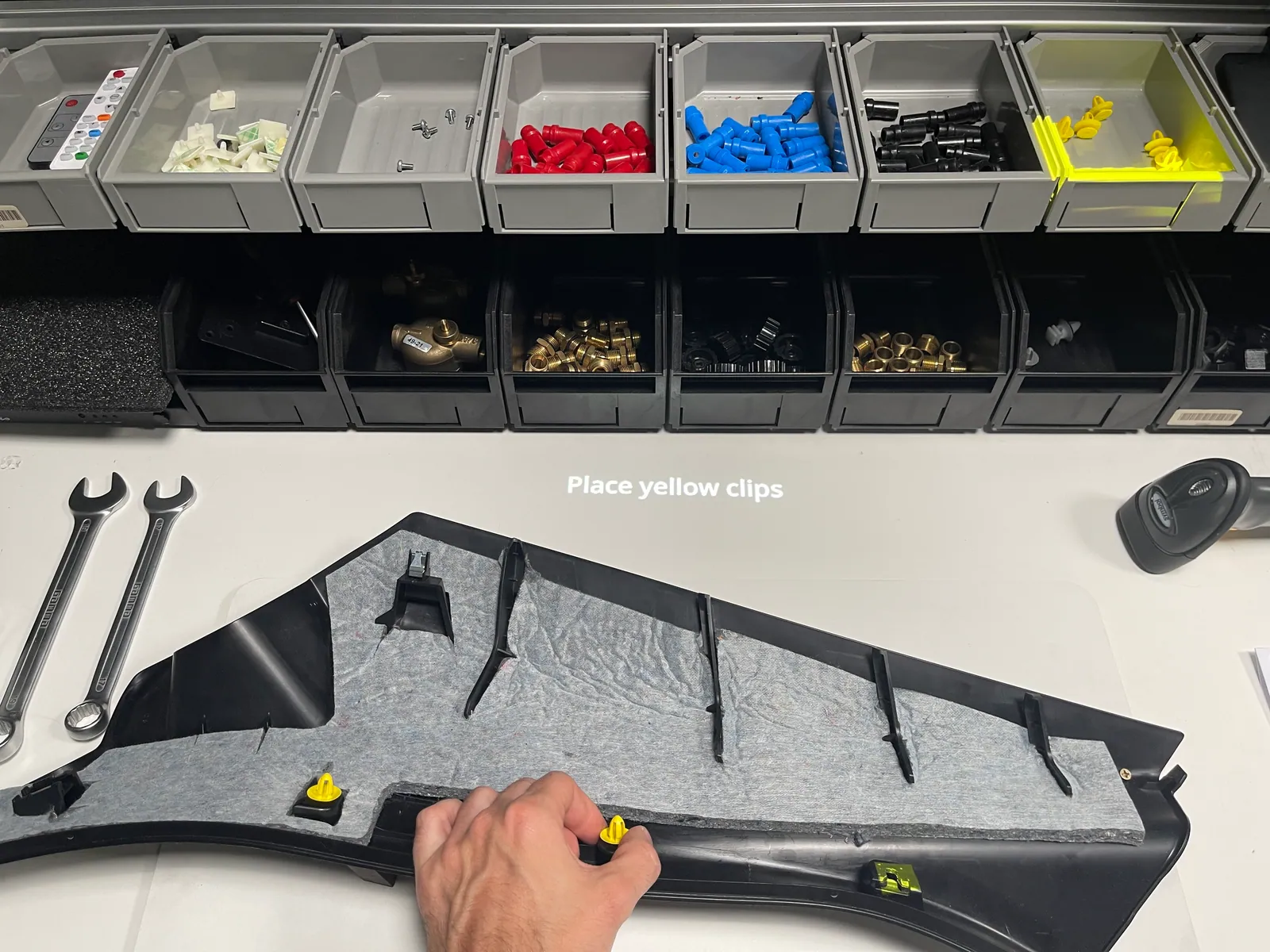
Operators log in by scanning their badge. The workstation loads their experience level and language automatically.
By default Training, Basic and Advanced. Per level you define which texts, images and videos are shown and how projections behave.
Detections react faster for experienced operators, so they are not slowed down by guidance they no longer need.
Instructions appear in the language of the logged-in user, and operators can switch language at any moment.
With the optional AI integration, all instructions and texts are translated from the default language: per field, for all empty fields or for the entire project. New lines and sites start in the operators' own language.
Each correct action moves the workflow forward. An incorrect action triggers an immediate warning.
Engineers add text, images and video to steps. Photos and videos can be sent from an Android phone with the Arkite Companion app.
Knowledge captured once in a digital workflow is available on every workstation, in every shift, in every language.
Arkite records which operator and experience level performed each job, so onboarding progress becomes visible.
New operators follow projected step-by-step instructions at the workstation and, with VALIDATE, receive real-time feedback on every action. They learn while producing, with less need for supervision.
It adapts the guidance to each operator. By default there are three levels, Training, Basic and Advanced. Per level you define which visualizations are shown, how projections behave and how fast detections react.
No. Arkite is a manufacturing execution platform for manual operations. Faster onboarding is one result of guiding and validating production work, alongside error reduction, traceability and production data.
Yes. Instructions can be defined in as many languages as required and are shown in the language of the logged-in user, who can switch language at the workstation at any moment. With the optional AI integration, all texts are translated automatically from the default language: per field, for all empty fields or for the entire project at once. The integration uses OpenAI or Anthropic with your own key and is disabled by default.
AI job generation, AI translation and VISION AI detections, with data under your control.
One validated way of working across shifts and sites.
The correct procedure for the correct variant.
Guided and validated assembly at every workstation.
From engineering to the workstation to the data loop.
See how guided and validated execution supports new and temporary operators on your own process.
Arkite
Operator guidance platform
Welcome to Arkite.
Looking to guide, validate and inspect manual work? Choose where you would like to start.
Prefer email? info@arkite.comPrivacy
Your privacy choices
We use analytics to understand how the website is used and, with your permission, to measure the results of our campaigns on LinkedIn and Google. Measurement runs through our own server; no tracking scripts from other companies are loaded in your browser. See our privacy notice.