
Variant-dependent content
The kit differs per product variant or order, and paper pick lists do not keep up with frequent changes.
Arkite guides picking and kitting with projection or DMX lights and validates every pick with a 3D sensor. Each kit is built to the order the MES sends, and every pick is logged.
Last updated
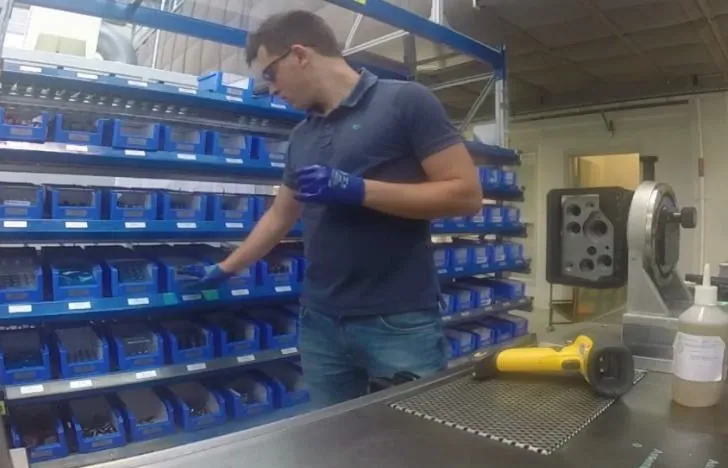
Picking and kitting supply the line with the components for each unit or order. In high-mix production, the content of a kit changes with every variant, bins hold parts that look alike, and stations are often staffed by rotating or temporary operators.
A wrong or missing component picked here is usually discovered later: at the assembly station, at end-of-line test or at the customer. Arkite moves that check to the moment of the pick.
The kit differs per product variant or order, and paper pick lists do not keep up with frequent changes.
Components that differ only in size or marking end up in the wrong kit or the wrong position.
Extended racks and stacked bins make it hard to find the right location quickly and consistently.
Without validation at the pick, errors surface downstream, where they cost rework or scrap.
The workstation receives the job and variant from the MES, or the operator scans an order or serial number.
Pick-by-projection highlights the correct bin and shows the quantity. For large bins or extended areas that projection cannot cover, DMX lights indicate the location.
With Arkite VALIDATE, the 3D sensor detects the operator's hand in the correct bin. For stacked bins, virtual detection boxes sit at the bin entrance, so occluded bins are covered too.
A pick from the wrong bin triggers an immediate warning. The workflow continues automatically after a correct pick.
Placement guidance shows where each component goes in the kit or tray, and the sensor confirms the placement.
Systems
Devices
Start with a pilot workstation and extend the same project to identical stations.
Arkite
Operator guidance platform
Welcome to Arkite.
Looking to guide, validate and inspect manual work? Choose where you would like to start.
Prefer email? info@arkite.comPrivacy
Your privacy choices
We use analytics to understand how the website is used and, with your permission, to measure the results of our campaigns on LinkedIn and Google. Measurement runs through our own server; no tracking scripts from other companies are loaded in your browser. See our privacy notice.