
Many content combinations
Product variants and options create a large number of possible box contents.
Packaging is the last chance to catch a missing part or a wrong label. Arkite guides each packing step with projections on the table and in the box, validates the placement and confirms completion automatically.
Last updated
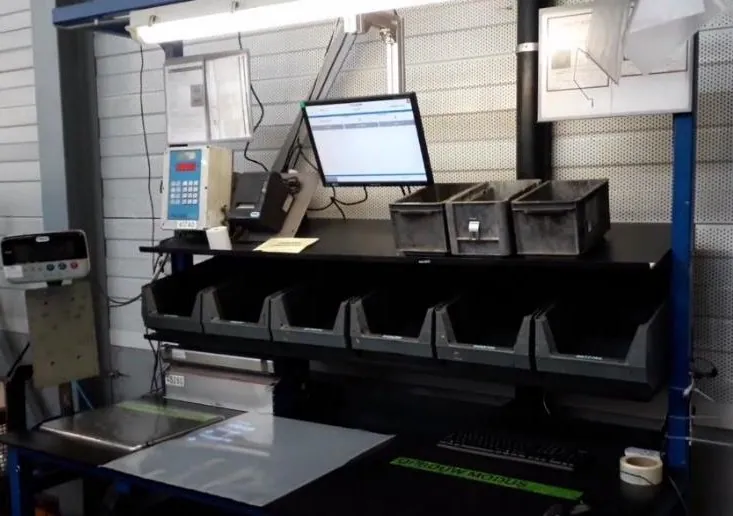
Packing stations combine a product with accessories, documentation and labels, often in variant-specific combinations. In logistics and kitting, operators fill boxes and handling units in many formats.
Errors at this stage go straight to the customer: a missing accessory, the wrong label or a box packed inefficiently.
Product variants and options create a large number of possible box contents.
Without guidance, each operator fills boxes differently, which affects capacity and protection.
Manual checklist confirmation adds time without proving that the work was done correctly.
Wrong or missing labels cause delays and complaints further along the supply chain.
The order and variant come from the MES or ERP, or from a barcode scan. A start-up check confirms the content required at the station.
Arkite receives the result of an external stacking or packaging algorithm and projects where each item goes, adapting the projection to each order.
With VALIDATE, the 3D sensor confirms each pick and placement before the next item is shown.
Labels are printed from the workflow, and completion is confirmed automatically to the connected system when the last step is validated.
Systems
Devices
See how dynamic projections and validation work on a packing station.
Arkite
Operator guidance platform
Welcome to Arkite.
Looking to guide, validate and inspect manual work? Choose where you would like to start.
Prefer email? info@arkite.comPrivacy
Your privacy choices
We use analytics to understand how the website is used and, with your permission, to measure the results of our campaigns on LinkedIn and Google. Measurement runs through our own server; no tracking scripts from other companies are loaded in your browser. See our privacy notice.