
The operator layer for your MES. Connected, central and secure.
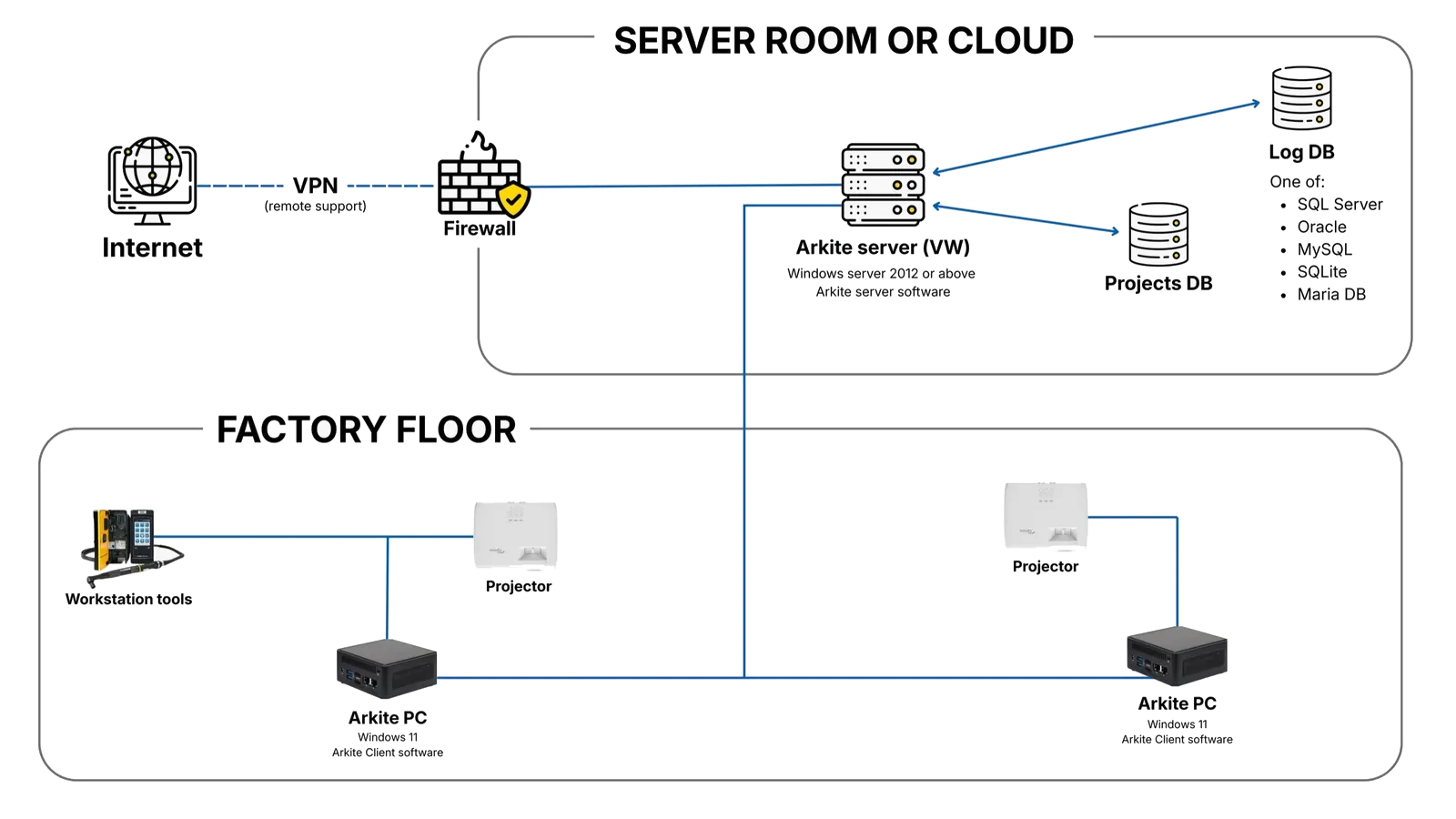
Arkite runs as a server-client platform inside your own infrastructure. One central server holds projects, users and production records, and connects the manual workstation to the MES, ERP, PLC and BI systems you already run.
Last updated
What IT and digital manufacturing teams tell us.
-
The shop floor already runs too many isolated tools.
System landscape
-
Every new system on the floor becomes another integration project.
Integration effort
-
Production data cannot leave our infrastructure.
Data ownership and security
-
Every workstation is another device to configure, update and support.
Maintainability
Built to fit the architecture you already have.
-
 Arkite Platform 01The challenge
Isolated tools per station create shadow IT that nobody can maintain.
How Arkite solves itOne server, every workstation
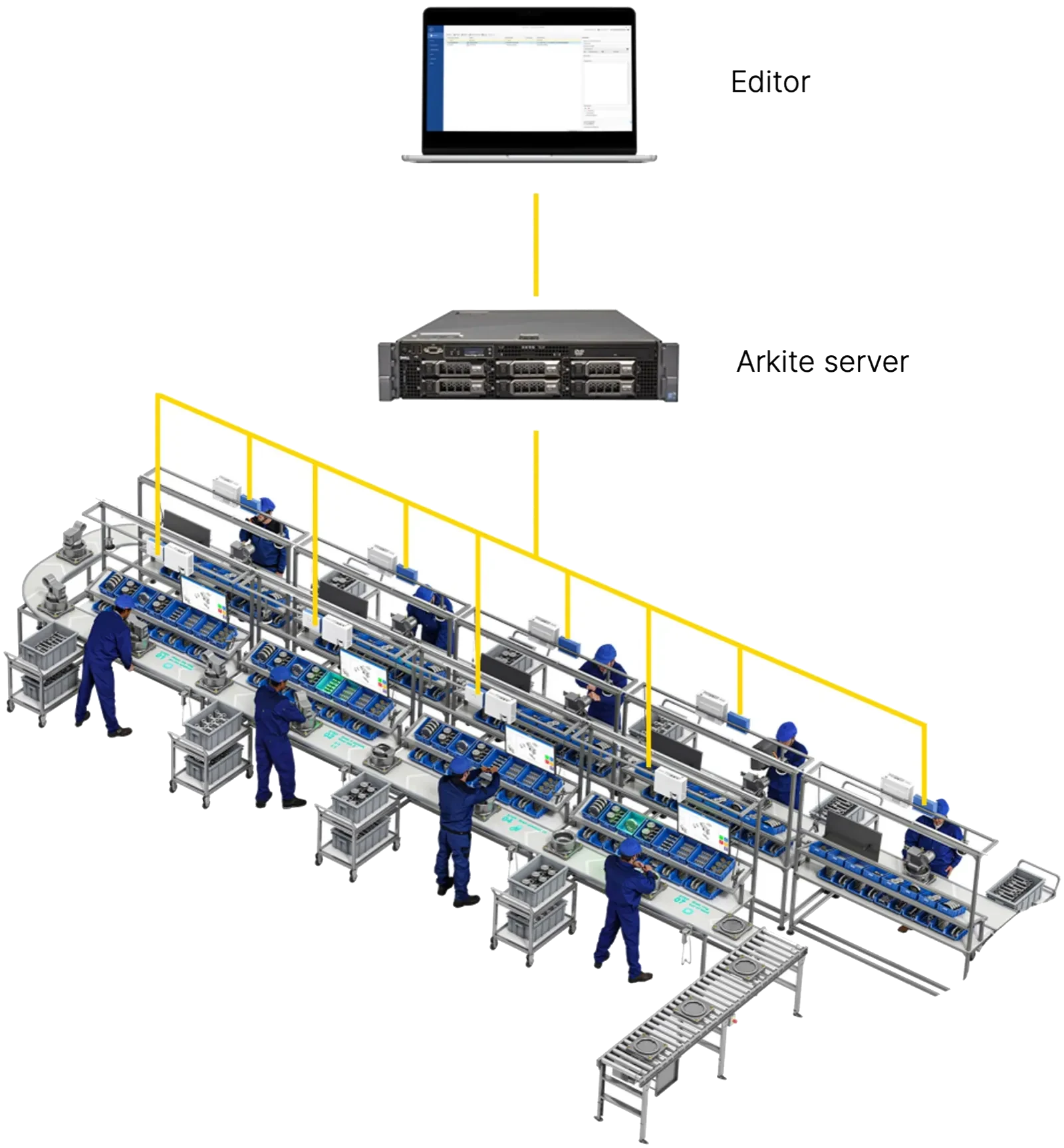
The Arkite server stores all projects, users, resources and production records, on a physical server, a virtual machine or your private cloud. Workstation clients and editors connect to it. Log data goes to the Arkite database or your own MySQL, MS SQL Server, Oracle or MariaDB.
- Central management of all stations
- Your own database if you prefer
- Engineers edit without occupying a station
-
 Arkite Platform 02The challenge
Connecting the manual station to MES, PLC and tools usually means custom code.
How Arkite solves itIntegrations configured, not programmed
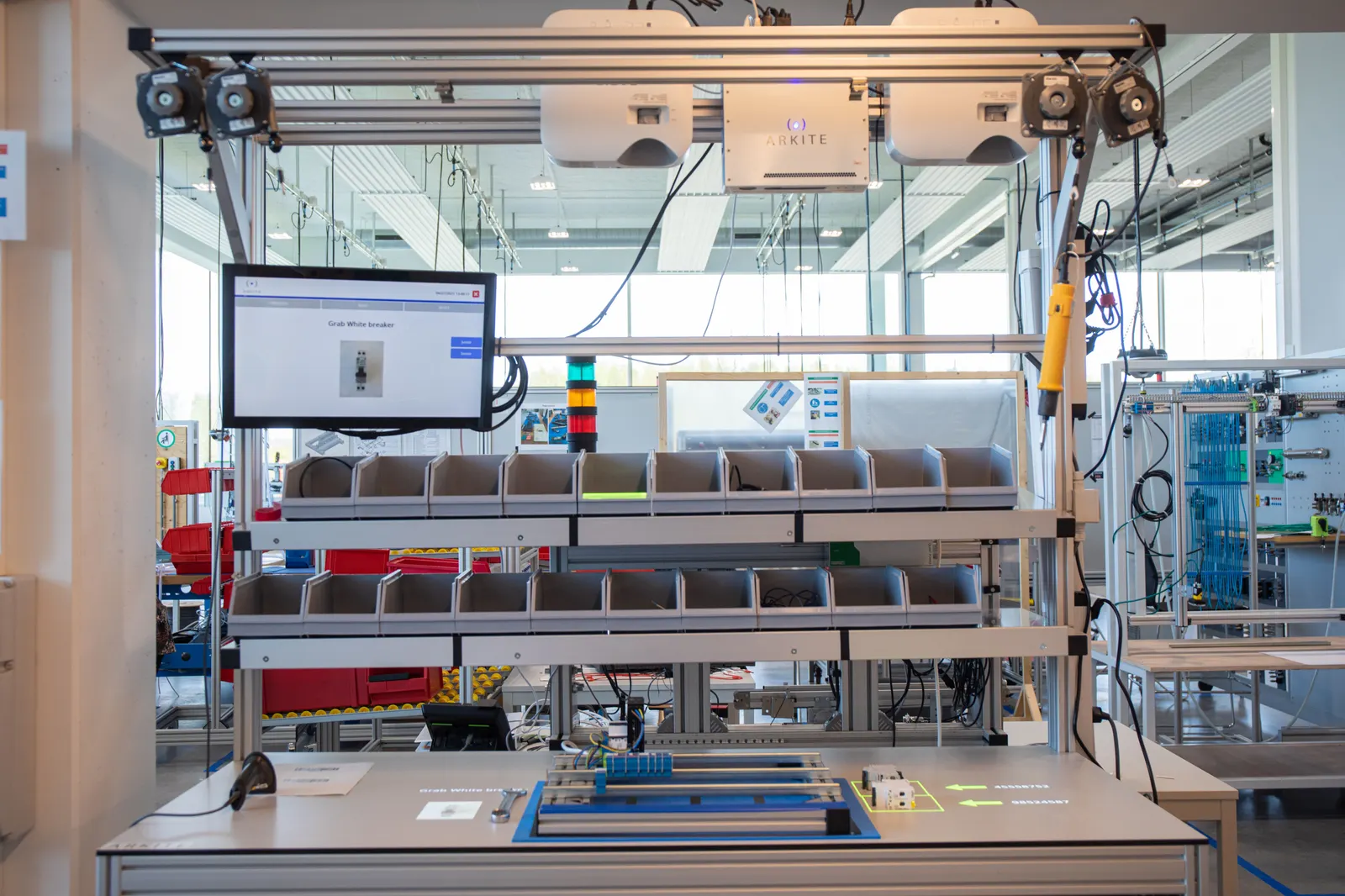
The MES pushes jobs to the Arkite server through the REST API and receives execution data back. Communication modules for OPC UA, MQTT, S7 PLC, Modbus, HTTP, Open Protocol, SQL databases, scanners and printers are configured without programming.
- Jobs from the MES, data back to the MES
- PLC and smart tool connectivity
- Export to Power BI or other BI tools
-
 Arkite Security 03The challenge
New shop floor systems must meet your security and data policies.
How Arkite solves itYour data stays in your infrastructure
Project and production data stays on your own server and remains yours. Users come from Active Directory with roles per group. Every change is audit-logged, append-only and protected by a hash chain. AI features are optional, disabled by default and use your own key.
- On-premises or private cloud
- Active Directory users and roles
- Remote support only at your request
-
 Arkite Scale 04The challenge
A pilot that works on one station often has to be rebuilt for the next line.
How Arkite solves itFrom pilot to plant without rebuilding
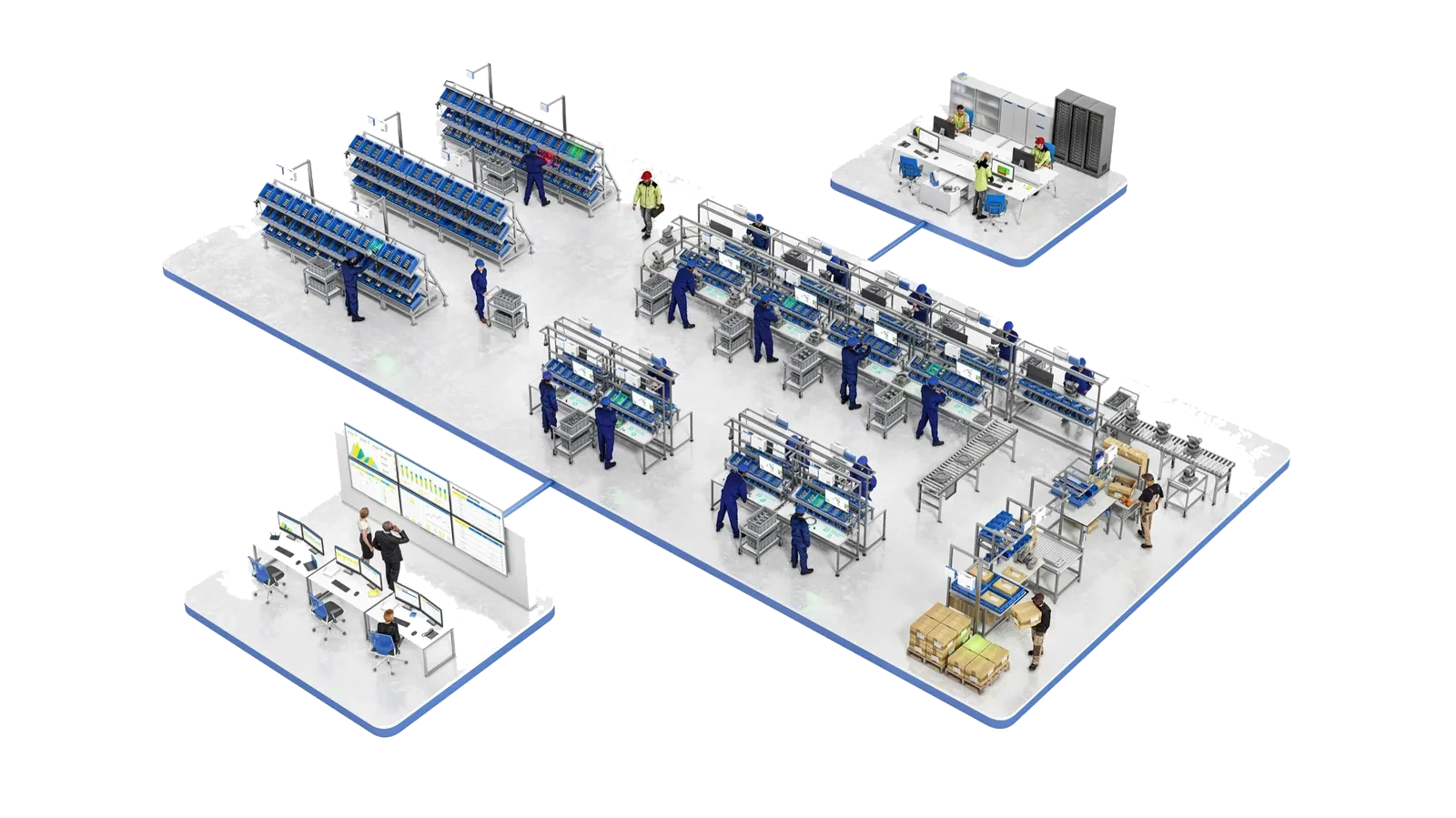
New workstations connect to the existing server and existing projects are immediately available. The same architecture carries a pilot workstation, a line, a plant and a multi-plant standard.
- New stations online quickly
- One standard across lines and plants
- No redesign at each step of the rollout
One maintainable platform instead of isolated tools.
- Down
Integration effort
Configured modules instead of custom interfaces.
- Down
Isolated shop floor tools
One platform for guidance, validation and inspection.
- Down
Maintenance per station
Projects, users and updates managed centrally.
- Up
Data ownership
Data stays on your server, in your network.
- Up
Data availability
Structured execution data for MES and BI.
- Up
Scalability
From one workstation to multiple plants.
Detailed requirements are listed below and reviewed with our technical team.
How jobs flow between MES and the workstation.
- 01
MES pushes the job
Jobs are created in the MES and sent to the Arkite server through the REST API.
- 02
Engineering prepares
Process engineers adapt the job to the physical workstation and release it to the correct stations.
- 03
Workstation retrieves
When an operator logs in, the workstation retrieves the correct job and product variant automatically.
- 04
Data returns
Execution data is logged centrally and available to MES, ERP and BI through the database, CSV export or the API.
Server and network requirements.
- Windows Server 2012 or higher, or Windows 10 Enterprise LTSC 2019 or higher
- 8 GB RAM up to 10 workstations, 16 GB above 10
- 100 GB SSD after OS installation, plus 20 GB per workstation
- Wired network connection between workstations and server
- REST API on port 443 reachable by workstations, MES and ERP
- Automatic hourly database backups when changes occur, configurable
- Server updates distributed to workstations on version mismatch
- Automatic backup before each server upgrade
Questions from IT
Does the workstation depend on an external AI service?
No. AI job generation and translation are used by engineers in the Arkite software. The AI detection algorithms of Arkite VISION run locally on the workstation and need no internet connection.
Which AI providers are supported, and what data is sent?
AI job generation and translation use an integration with OpenAI or Anthropic, configured with your own key. These integrations are optional, disabled by default and require an internet connection. Text is only sent to the selected provider when the integration is enabled. Project and production data stay on your own Arkite server.
Where is the API documented?
The REST API is documented on SwaggerHub, and an API tester is available in the Arkite software.
Can operators remain anonymous?
Yes. Operator identification is optional. Workstations can run with a generic login, or operators log in by badge or user account when individual traceability is required.
How are multiple plants handled?
Projects can be exported from one Arkite server and imported on another, so a validated process can be transferred between sites.
Review the architecture with our technical team.
We walk through server sizing, network requirements and your MES integration scenario.